ACS register
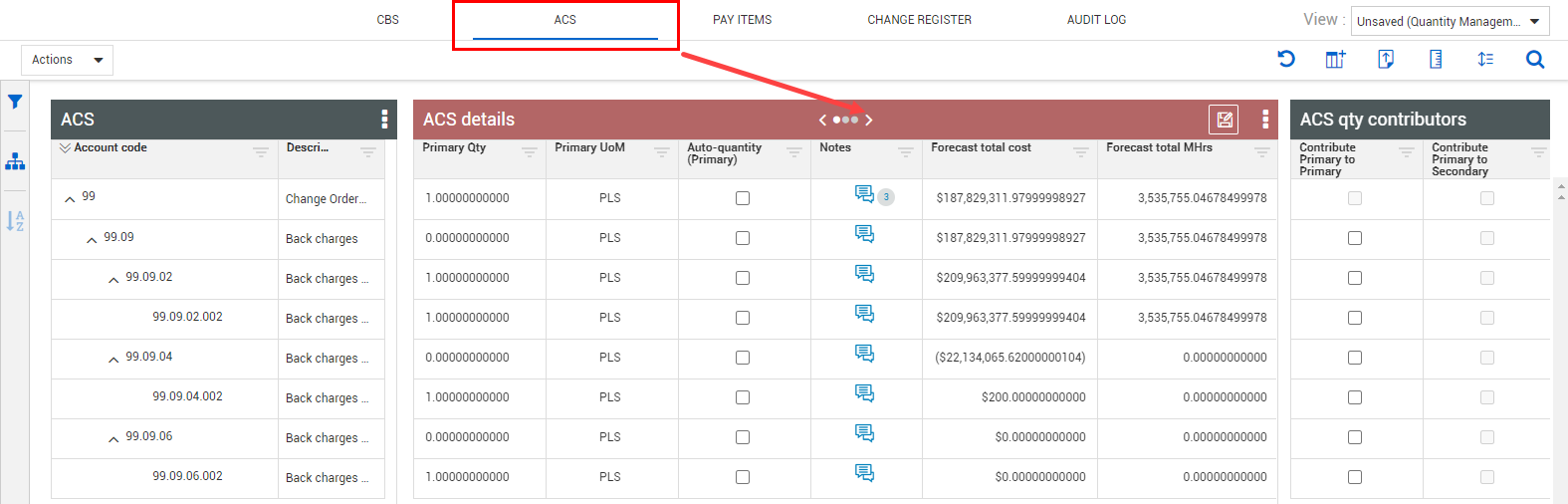
The Account Code Structure (ACS) is where you can view and manage account codes at the project level. You can view the account codes assigned to your cost items. The related parent account codes, account code details, and quantity contributors are also shown.
You can view other budget information that is automatically pulled into the ACS Details data block by clicking the right arrow on the ACS details data block to view the additional panels. You can select from multiple columns to view budget information such as:
ACS Navigation
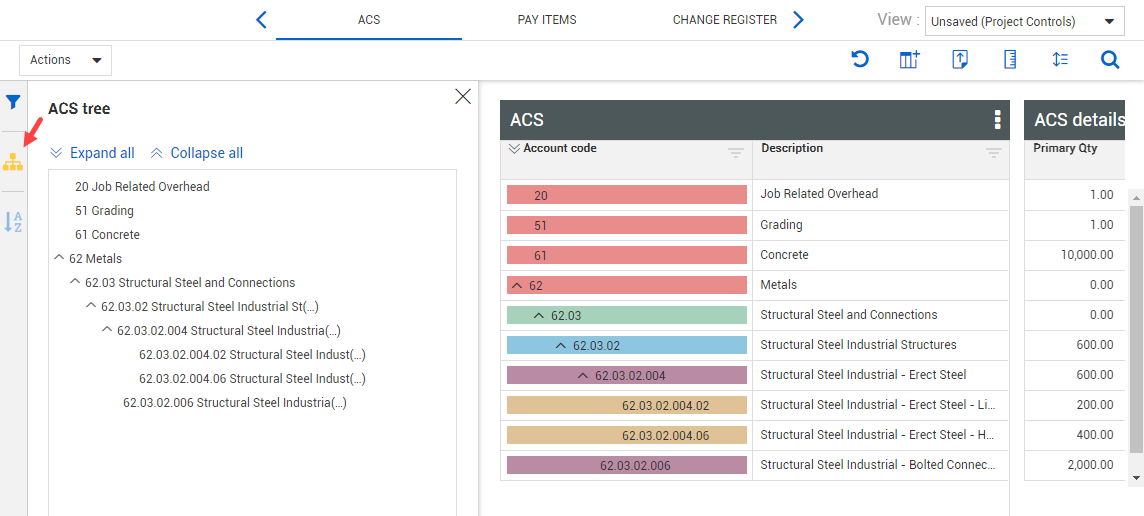
The ACS tree lets you easily navigate up and down your ACS structure and provides a way to filter down to a subset in the structure. Open the ACS tree slide-out panel by clicking on the ACS tree icon on the side toolbar.
Like the CBS color-coded hierarchy, you have the option to differentiate your account codes by color. Click on the ACS data block ellipsis to select this option to help you identify at which level of the hierarchy a specific account code is located.